
AI-assisted patient matching in TELUS Health CHR
Designed and shipped an AI-assisted patient matching workflow that links incoming documents to the right patient and supports multi-document splits. Staff can review and verify AI suggestions, replacing a manual process, saving an average of 12 seconds per document.
The challenge
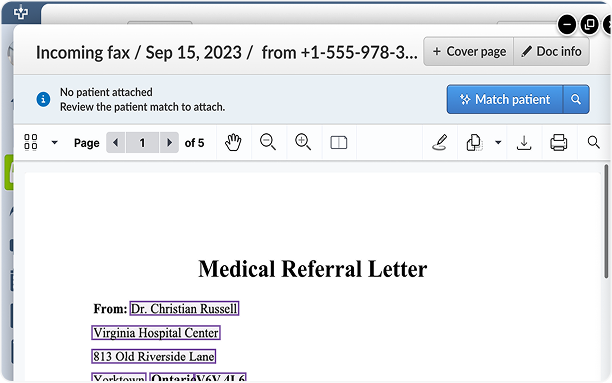
Clinics receive a high volume of documents in their electronic medical record (EMR) inbox. Documents, such as faxes and referral letters, often arrive without being linked to a patient chart, which makes manual matching a major administrative burden for staff.
- Staff must read every unmatched document and match it to the correct patient.
- Multi-patient faxes require manual identification and page splitting before filing.
- When no patient chart exists, staff must create a new chart and re-type all details from the document.
Designing the solution
Getting started with the design was a challenge because no AI feature existed in the Collaborative Health Record (CHR). I worked with product managers and the development team to understand the technical aspects and how to present it clearly in the UI for clinicians and admin staff.
Establishing CHR's AI visual language
This was CHR's first AI-powered feature so I had to decide what "AI" should even look in the product. And it had to be something that fit within our existing CHR design system.
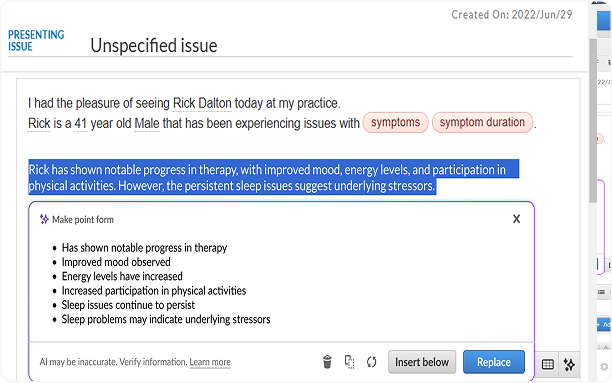
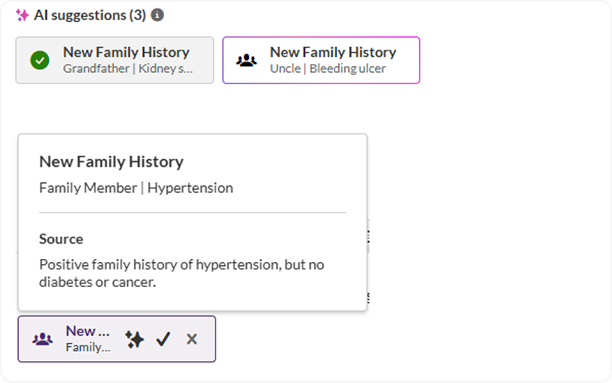
After competitive research, I defined a consistent AI visual cue, a sparkle icon with a purple accent. This was a deliberate design decision borrowing from a convention already familiar from other AI products at that time (2023/2024) to serve as a visual cue that "this is from AI, verify it".
The sparkle and purple convention held beyond this feature. I later carried it into CHR's AI-powered writing tools, and another designer later adopted it for the AI agent. It became CHR's default cue for AI-touched content.
Keeping staff in control
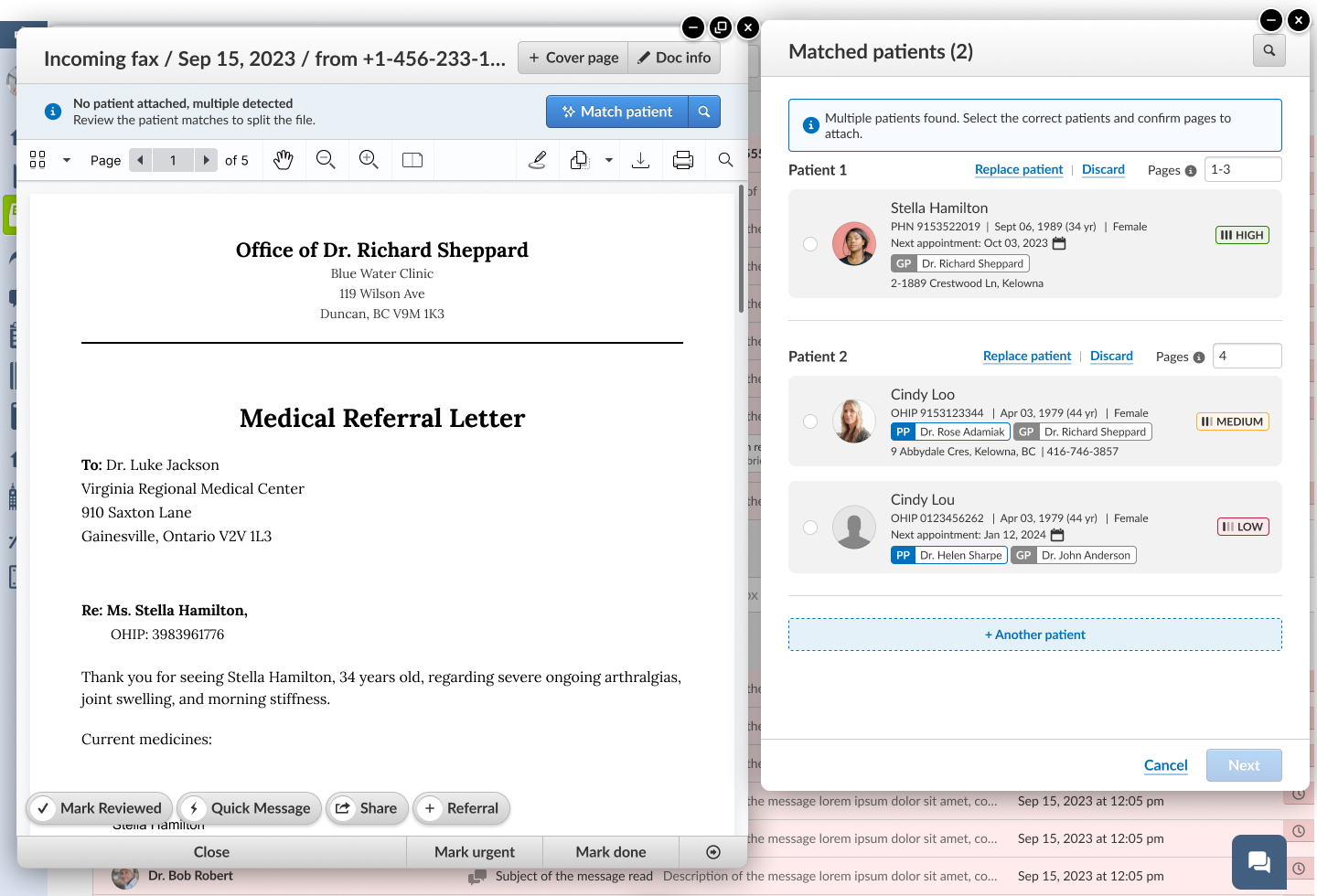
Rather than auto-deciding, the system shows its best guess, explains what it used and lets clinic staff make the final decision. It also reduces the manual work needed to assign a document to a patient.
When a document arrives with no patient attached, the system scans for likely matches and presents them ranked by confidence - High, Medium, or Low - alongside the details staff actually use to verify identity: Name, identification, sex and date of birth.
When the AI gets it wrong
Working with the PM to map how staff handle mismatches in real clinics, I designed two ways to correct the AI’s suggestions:
- Replace patient opens a search so staff can find the right chart when the suggestion doesn’t match.
- Create a new patient chart covers patients who aren’t in the clinic’s system yet.
If a document still ends up on the wrong chart, staff can move it with CHR’s existing reassign flow.
How did we decide what information to show?
Make the AI show its work
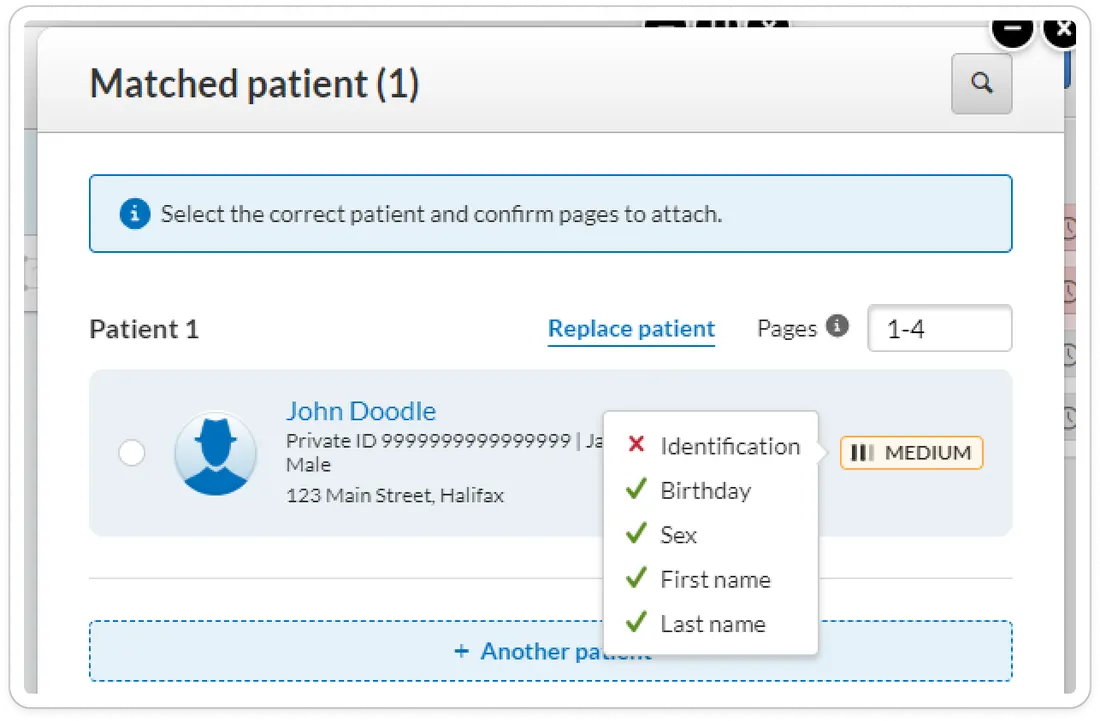
Patient matches are scored against five identity criteria and mapped to four tiers (High, Medium, Low, ID Only). Hovering reveals exactly which fields matched and which didn't, so staff can double-check quickly against the original fax.
Auto-fill new charts from unstructured documents
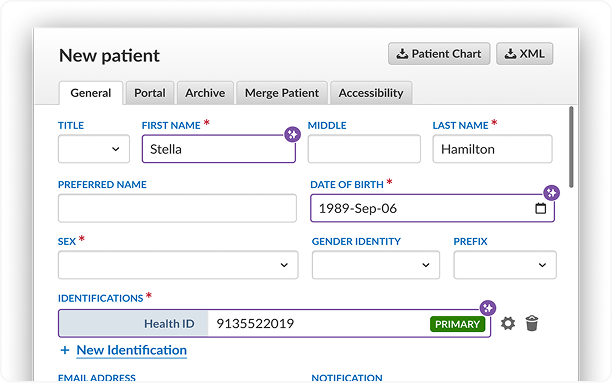
When no existing patient matches, the system extracts identity details directly from the document and pre-fills a new patient form.
Each auto-filled field is marked with the AI sparkle and purple key line for review. This also works for multi-page faxes containing new patients on different pages.
Hovering over the AI sparkle shows the source page. Staff can verify against the original document if desired.
Streamlined splitting flow
I designed a new splitting flow and UI. After a multi-patient or single-patient/multi-document fax is assigned and split, staff can update each split document in one screen. They can set document details such as file names and tags. Previously, staff had to open each split document individually to make these edits, adding extra clicks and effort.
Impact
Results varied a lot by clinic. Based on Pendo analytics data, clinics saved an average of 12 seconds per document, up to 35 hours/month for a high-volume clinic (11K+ documents/month).
In conversations with engineering, one recurring pattern stood out: clinics that were slowest before automation tended to see the largest gains after. In one large clinic, the team's average admin time reportedly dropped from roughly 20 hours a week to about 4 hours.
Business signal
Product leadership has indicated this feature area has become a meaningful contributor to CHR's AI-related revenue (though I don't have an exact figure to cite.)
"We think of it as a system for keeping the right person doing the right work at any given time. AI might not always do the work for us, but it can at least help make sure that the right person can do the work that they're supposed to do."